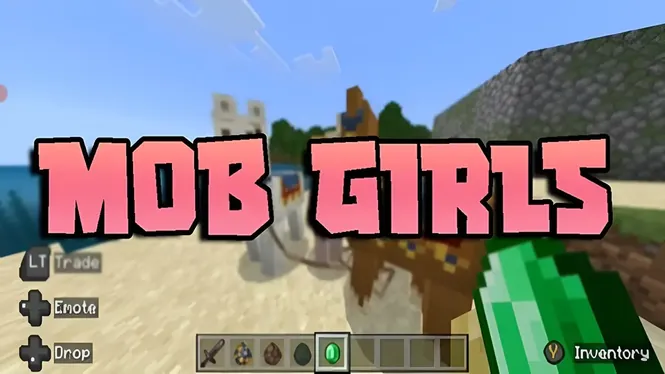
Mob Girls Security Guide | Safe Usage, Content Quality & User Tips
Learn about Mob Girls security, safe usage practices, content quality, compatibility checks, and important tips for a better customization experience.
Read Now
Blog
How Mob Girls animations work in Minecraft Bedrock: idle movement, walking cycles, and expressive motion, plus settings that keep animation smooth on mobile.
By AntiGM
A character model can be beautiful standing still and still feel dead in game. What brings the cast of Mob Girls to life is the animation layered on top of the models: idle movements, walking cycles, and small expressive motions that play while the characters go about their routines.
This guide explains what those animations are, where you will notice them, and how to keep them playing smoothly, especially on phones. If you are new to how Bedrock add-ons are put together, it also helps to understand the split between the visual pack and the behaviour pack, because animation lives between the two.
You do not need to configure anything to see the animations. They are part of the add-on, and they start the moment the packs are enabled in a world and a character walks into view.
Idle animation is what a character does when she is doing nothing: subtle shifts, looking around, small movements that stop her freezing like a statue. In a village scene, idles are the difference between a crowd of mannequins and a group of people waiting, watching, and living in the space.
Watch a market or a farm for a minute and the effect builds. Characters glance, settle, and move off at their own pace, and because each design reads differently, the scene feels populated rather than populated by copies.
Movement cycles carry most of the personality. A walk cycle matched to a character design reads very differently from the stiff shuffle of a default mob, and it is the first thing viewers notice in recordings and screenshots.
The characters keep the movement speeds and pathfinding of the mobs they replace, so gameplay stays predictable: a farmer still crosses the village the way a villager would, just with a designed model and a proper walk on top of the familiar behaviour.
In Bedrock add-ons, the models and textures live in the resource pack while animation controllers and behaviours live in the behaviour pack. That is why both packs must be enabled: enable only the resource pack and characters may appear without their full motion, which is one of the most common setup mistakes.
The breakdown in our guide to resource and behaviour packs explains the split in plain language, and it is worth reading if you ever combine this add-on with other packs in the same world.
Animation smoothness follows your frame rate. If the game stutters, every cycle stutters with it, so the usual mobile habits apply: keep render distance moderate, close background apps, and avoid stacking several heavy add-ons in one world on an older phone.
A crowded scene is the hardest test. Dozens of characters in one village square will tax any device, so spread busy scenes out or reduce the crowd size when you are filming. The device advice in the Mob Girls performance guide goes deeper on settings.
Creators lean on animation more than on any other feature. A walking shot through a market, a character turning at a doorway, a group scene at sunset: these moments read as footage of a world, not footage of a menu of models.
For screenshots, wait for the motion. A mid-stride frame or a character caught mid-gesture looks alive, while a frozen idle can look flat. Burst-capture a few frames and pick the one with the most movement in it.
If characters appear but move like default mobs, the behaviour pack is almost always the problem: it is disabled, it sits below another pack that overrides it, or the world was created before the pack was added. Re-enable both packs in the world settings and reload the world.
If characters are invisible entirely, that points at the resource pack instead, or at a version mismatch between the add-on and the game. Check that your Minecraft version matches the release you downloaded, and re-import the file if the problem survives a restart.
No. The animations are built into the add-on and play automatically once the resource and behaviour packs are enabled in your world. There is no separate animation setting to find.
That usually means the behaviour pack is not active in the world, or another behaviour pack is overriding it. Open the world settings, confirm both packs are enabled, and make sure the add-on sits at the top of the behaviour pack list.
Only lightly. Animation itself is cheap; what costs performance is the number of characters on screen and your render distance. A normal village scene runs comfortably on most phones that run Bedrock well.
You can combine add-ons in one world, but packs that replace the same mobs can conflict. If two packs both change the same mob, the one higher in the pack list wins, and the other may stop working for that mob.
Animation is the quiet feature that decides whether characters feel alive. With both packs enabled and a healthy frame rate, the cast idles, walks, and reacts with enough personality to carry roleplay scenes, showcases, and screenshots.
If motion ever looks wrong, think in pack terms first: models and textures on one side, behaviour and animation on the other. That one idea solves nearly every animation problem players report.
Download Mob Girls
Learn about Mob Girls security, safe usage practices, content quality, compatibility checks, and important tips for a better customization experience.
Read Now
Use Mob Girls characters for Minecraft Bedrock roleplay: set up a story world, give characters roles, build scenes, and play out stories solo or with friends.
Read Now
Resource packs and behaviour packs explained for Mob Girls players: what each pack does, why both must be enabled, and how pack order affects your world.
Read Now