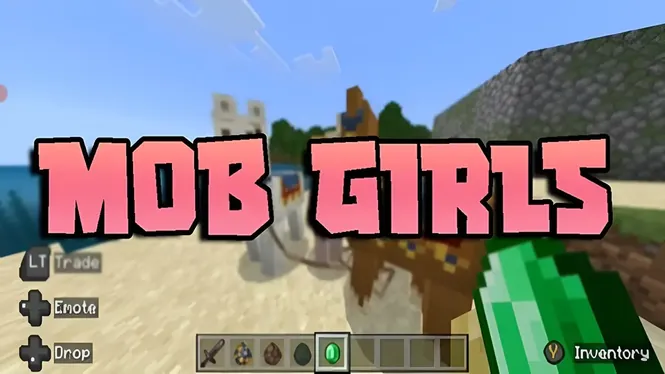
Mob Girls Security Guide | Safe Usage, Content Quality & User Tips
Learn about Mob Girls security, safe usage practices, content quality, compatibility checks, and important tips for a better customization experience.
Read Now
Blog
How to combine Mob Girls content well: pairing characters with worlds and themes, mixing skins, and running the add-on alongside other Bedrock packs safely.
By AntiGM
A single character brightens a scene; the right combination of characters, skins, and settings turns a world into a place with a style of its own. This guide is about those combinations: which designs sit well together, how to theme a cast around a world, and how Mob Girls content mixes with other Bedrock packs.
Combination is a light-touch skill. Nothing here needs files edited or settings beyond the pack lists and your own building choices, and every suggestion can be undone by swapping a pack or a skin.
Think in themes, not in pieces, and the rest follows easily.
Start from the world, not the characters. A medieval village wants earthy designs and practical outfits; a modern city build suits brighter, cleaner looks; a fantasy map can carry the most elaborate designs you have. When the cast shares the world palette, screenshots look composed instead of random.
You do not need every character themed. A core cast that matches the setting, your villagers, traders, and guards, carries the effect, while occasional visitors in different styles read as travellers from elsewhere, which is its own kind of storytelling.
Skins are your fine adjustment. Two characters built on the same design can read as different people in different skins, which lets a small cast populate a big town convincingly. The overview of skin options in the Mob Girls skins guide shows the range you are working with.
Keep one element consistent per group: the market staff in one colour family, the farm crew in another. Groups that read at a glance make a town feel organised and help visitors find the right character quickly.
The add-on plays well with content that does different jobs: furniture packs, building tools, minimaps, and vehicle add-ons rarely touch the same mobs, so they stack without drama. The risk zone is other character or mob packs, where two add-ons want the same creature.
When packs overlap, pack order decides the winner for each contested mob, and the loser simply does not appear for that mob. Our packs explained guide covers the ordering rules, and a ten second check after adding anything new keeps surprises away.
Stories benefit from contrast: a formally dressed innkeeper against a muddy-booted farm crew tells the viewer who is who before a word is spoken. Cast deliberately, give regulars distinct looks, and keep a note of who wears what so the cast stays consistent across sessions.
Seasonal combinations are an easy pleasure: festival colours for a celebration week, work clothes for a building project, formal sets for a wedding scene. The cast system makes a world feel like it has a calendar.
Clashes are usually visual rather than technical: neon-bright designs in a gritty survival world, or a cast where every character shouts for attention at once. One or two standout designs per scene is plenty; let the setting lead.
The technical clash to watch is the duplicate: two versions of the character packs enabled in the same world. Keep one version active per world, and switch versions deliberately rather than stacking them.
For a first themed world, try this: a village world on a recent game version, the current release of the add-on, one colour family for traders, another for farmers, and a single standout design for the character who runs the inn. It takes minutes and already looks intentional.
From there, change one thing at a time. Combination skill is just taste plus notes, and your eye will sharpen with every scene you set.
Yes, and it combines cleanly with packs that do different jobs, like furniture or building tools. Only mob and character packs overlap; when they do, pack order decides which one provides each contested mob.
Choose designs and skins in the world palette and style: earthy and practical for medieval builds, bright and clean for modern ones. Theme the core cast first; travellers and visitors can break the theme on purpose.
The pack higher in the world pack list wins for that mob, and the other design simply does not appear. Nothing breaks; reordering the lists or removing the overlap gives you the cast you intended.
No. Keep one version active per world. Two versions claim the same mobs and the result is decided by pack order rather than by you, so switch versions deliberately instead of stacking them.
Good combinations are mostly restraint: a themed core cast, one or two standouts, skins used as group colours, and other packs chosen for jobs the cast does not do. That recipe makes almost any world look designed.
Build your first themed village, note what works, and adjust one element at a time. The cast will start to feel like residents with style, not replacements with variety.
Download Mob Girls
Learn about Mob Girls security, safe usage practices, content quality, compatibility checks, and important tips for a better customization experience.
Read Now
Use Mob Girls characters for Minecraft Bedrock roleplay: set up a story world, give characters roles, build scenes, and play out stories solo or with friends.
Read Now
How Mob Girls animations work in Minecraft Bedrock: idle movement, walking cycles, and expressive motion, plus settings that keep animation smooth on mobile.
Read Now