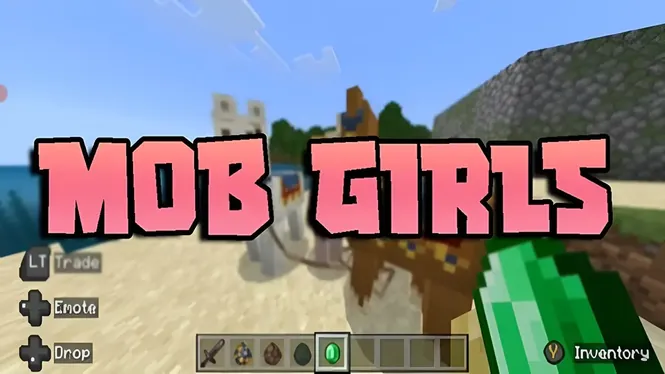
Mob Girls Security Guide | Safe Usage, Content Quality & User Tips
Learn about Mob Girls security, safe usage practices, content quality, compatibility checks, and important tips for a better customization experience.
Read Now
Blog
Use Mob Girls characters in Minecraft Creative mode: stage scenes, build character districts, set up showcases, and photograph your cast like a set.
By AntiGM
Creative mode removes every limit except imagination: unlimited blocks, flight, no hunger, no danger. It is the natural workshop for Mob Girls content, because the characters are at their best when you can build the stages they deserve and place scenes exactly where the light is right.
Players use creative for three things: testing characters before committing a survival world to them, building themed districts and sets, and staging screenshots or videos. This guide covers all three.
If you mainly play survival, treat creative as the studio next door to your world: design there, then rebuild the winners in survival with the cast already cast.
A flat creative world is the fastest character test in the game. Enable both packs, walk the cast, watch the animations, and check how designs read at distance and in crowds. Five minutes here answers questions that would take an evening to surface in survival.
Testing in creative also protects your main world from experiments. New versions, new pack combinations, and big cast changes can all be auditioned on the flat world first, then adopted with confidence.
Give the cast architecture: a market street for traders, a farm quarter for workers, a harbour, a school, a festival ground. Districts organise a big cast so visitors can find everyone, and they give each group a backdrop that matches its role.
Build at character scale. Streets wide enough for crowds, doorways and counters at comfortable heights, and viewpoints where a whole scene fits in frame. The set ideas in the Mob Girls roleplay guide were written for districts like these.
A staged scene has a subject, a setting, and a moment: traders at a morning market, a crew bringing in the harvest, friends meeting at the harbour at sunset. Creative flight makes framing easy; hover, look through the scene like a camera, and adjust the set rather than the shot.
Time of day is your lighting department. Morning and late afternoon flatter characters and builds alike, and a scene checked at noon and again at dusk will teach you more about lighting than any setting menu.
Hide the interface, wait for motion, and capture mid-movement frames: walking, working, turning. Characters caught doing something always beat characters standing in a row, however good the designs are.
Keep a photo spot in each district: a corner, arch, or balcony with a clean background where you take portraits of new cast members. A consistent portrait spot makes your collection feel like a cast album over time.
Plenty of players design in creative and live in survival. Build the district once in the studio world, note the materials, then raise it block by block in survival where the same characters will move in when it is done.
The interactions waiting for you are covered in the Mob Girls interactions guide: trading, farming, and routines all run in survival exactly as they preview in creative, because the cast keeps the behaviour of the mobs it replaces.
A finished creative world is a showcase: friends can visit, screenshots travel well, and the world itself becomes the easiest way to show someone what the add-on does. Keep a copy before big changes, and your showcase survives every experiment.
If your group plays together regularly, a showcase world also makes a fine meeting place between survival sessions: part gallery, part planning room, all cast.
Creative gives you flight, unlimited blocks, and a flat world, so you can walk the whole cast, watch animations, and try pack combinations in minutes, without risking anything in your survival world.
Yes. Trading, farming, routines, and hostile behaviour all come from the base mobs and run identically in both modes. Creative only changes your powers as the player, not the cast.
Start with one district that matches how you play: a market street if you trade, a farm quarter if you enjoy the working village, or a festival ground if you stage scenes and screenshots.
Yes. The world can be shared over LAN at home or uploaded to a Realm for friends elsewhere, and visitors see the characters once the world packs download for them on joining.
Creative mode is the studio where the cast shines: test everything safely, build districts with intent, and stage scenes with light and timing. Ten minutes of staging routinely produces the screenshots that sell friends on the add-on.
Keep a flat test world for auditions and a showcase world for finished work, and you will always have the right stage one menu away.
Download Mob Girls
Learn about Mob Girls security, safe usage practices, content quality, compatibility checks, and important tips for a better customization experience.
Read Now
Use Mob Girls characters for Minecraft Bedrock roleplay: set up a story world, give characters roles, build scenes, and play out stories solo or with friends.
Read Now
How Mob Girls animations work in Minecraft Bedrock: idle movement, walking cycles, and expressive motion, plus settings that keep animation smooth on mobile.
Read Now