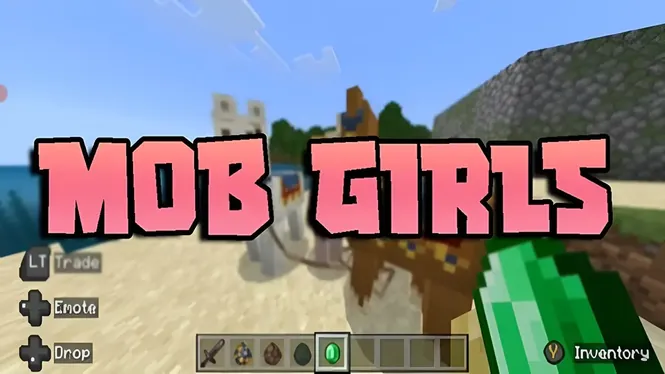
Mob Girls Security Guide | Safe Usage, Content Quality & User Tips
Learn about Mob Girls security, safe usage practices, content quality, compatibility checks, and important tips for a better customization experience.
Read Now
Blog
A plain-language guide for parents: what the Mob Girls add-on is, how it changes Minecraft Bedrock, online play considerations, and how to check it yourself.
By AntiGM
If your child has asked for Mob Girls, this page explains in plain language what it is and what it changes. The short version: it is an add-on for Minecraft Bedrock that replaces the game creatures with custom girl characters, new looks and animations for the same friendly game underneath.
It is not a separate app and it is not a different game. It installs inside Minecraft, can be removed in a minute, and does not change the difficulty, the goals, or the basic nature of play.
The sections below cover what parents usually want to know: content, online play, costs, and how to look at it yourself before deciding.
Minecraft creatures, villagers, farm animals, monsters, normally look like simple blocky figures. This add-on swaps their appearance for designed characters with outfits and animations, and adjusts how they move and behave in small ways. Trading, farming, building, and exploring all work exactly as before.
The characters are stylised and cartoon-like, in keeping with the game look. Parents who want to judge the designs directly can browse the screenshots on this site and the character overview before anything is installed.
Minecraft Bedrock is the same game schools and families already know: building, exploring, light cartoon combat with monsters, and creative projects. The add-on does not add chat, social feeds, advertising, or purchases inside itself; it is a content package the game loads.
Because it works through Minecraft own add-on system, the normal family controls of the platform and the game continue to apply: device screen time, account settings, and multiplayer permissions all stay in the usual places.
The add-on works in single player, on home networks, and on Realms, Minecraft subscription world service. Online exposure comes from Minecraft itself, not from the add-on: who your child plays with is decided by the world and account settings, which parents can review and restrict.
For younger children, local play on one device or on the home network with family is a comfortable starting point. Our Mob Girls LAN multiplayer guide explains that home-network option in simple steps.
The add-on files are listed on this site download page with their sizes, the latest being 22.0 MB, and there is nothing to buy inside the add-on itself. Minecraft itself is a paid app, and Realms is an optional subscription, but those are separate from this content.
Downloads ask for a short preparation wait and then save a file, which is opened so Minecraft imports it. If you would like to see the exact steps your child will follow, the Mob Girls installation page shows them in order.
The most reliable check is a five-minute look: install it on a test world, walk through a village, and see the characters your child will see. If it is not for your family, removal is quick and complete, and the world returns to normal.
It also helps to play together once. Minecraft rewards shared projects, and a parent who has built one small house in the world understands the game, and the appeal of a populated village, far better than any description.
Children are usually happy to show off their world and explain who every character is. Asking for that tour gives you a natural view of the content and the way your child plays, and it opens the wider conversation about downloads and online play without a lecture.
A simple family rule works well: new add-ons get shown to a parent first, downloads come from the pages you have seen together, and multiplayer stays with known friends unless you agree otherwise.
No. It is an add-on package that loads inside Minecraft Bedrock. There is no separate app, account, or login, and it can be removed from within the game settings in about a minute.
No. Building, exploring, farming, trading, and light cartoon monster combat all stay the same. The add-on changes how creatures look and move, not the goals or nature of the game.
No. The add-on is content only: characters, models, and animations. Any chat or multiplayer comes from Minecraft itself and is governed by the account and world settings parents already control.
Yes, quickly and completely. The packs can be switched off per world, or deleted from the game storage settings, and worlds return to their default creatures with all progress untouched.
For most families this is a simple decision once the facts are clear: a cosmetic add-on for a familiar game, installed through the game own system, with no built-in chat, purchases, or social features, and full removal in a minute.
Take the five-minute test world tour, set the multiplayer arrangement you are comfortable with, and let your child show you around. That is the surest way to judge any game content, this add-on included.
Download Mob Girls
Learn about Mob Girls security, safe usage practices, content quality, compatibility checks, and important tips for a better customization experience.
Read Now
Use Mob Girls characters for Minecraft Bedrock roleplay: set up a story world, give characters roles, build scenes, and play out stories solo or with friends.
Read Now
How Mob Girls animations work in Minecraft Bedrock: idle movement, walking cycles, and expressive motion, plus settings that keep animation smooth on mobile.
Read Now