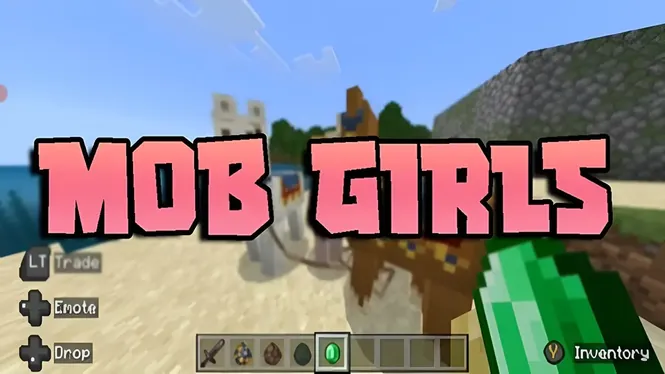
Mob Girls Security Guide | Safe Usage, Content Quality & User Tips
Learn about Mob Girls security, safe usage practices, content quality, compatibility checks, and important tips for a better customization experience.
Read Now
Blog
Fix the common Mob Girls add-on problems in order: characters not appearing, default behaviour, import errors, version mismatches and Realms issues.
By AntiGM
Most add-on problems look mysterious and turn out simple: a pack not enabled, a version mismatch, an import that half finished. This guide works through the failures players actually meet with Mob Girls, in the order to check them, so you fix the cause instead of reinstalling on a guess.
Start at the top. The first two checks solve the large majority of cases, and each check takes under a minute.
Keep notes as you go: which world, which game version, which add-on version. If you ever ask the community for help, those three facts are what experienced players will ask for first.
Check the packs first: open the world settings and confirm the resource and behaviour packs are both active in that world. A surprising number of reports end here, because packs are per world, and enabling them in one world does nothing for another.
If both packs are active and the world still shows default mobs everywhere, suspect the import. Delete the pack entries in storage settings, download the file again, and re-import it cleanly.
This is the behaviour pack talking, or rather not talking. The models load from the resource pack, but the animations and AI come from the behaviour pack, so check that it is enabled and not buried below another behaviour pack that claims the same mobs.
The reasoning, and the ten second check, are laid out in the packs explained guide. Work through it before reinstalling; order problems survive reinstalls, because the lists stay as they were.
A failed import usually means a damaged download or a file the game cannot read. Download the package again on a stable connection, confirm the file size matches the size shown on the download page, and open the fresh copy to import.
Also confirm you opened the right kind of file: the package is an add-on file for Minecraft to import, not an app to install. If the device offers to install it as an application, back out and open it with Minecraft instead. The steps on the Mob Girls installation page show the correct flow.
When characters break right after a Minecraft update, or a new download fails on an old game, versions have drifted apart. Compare your game version with the releases on the download page and take the package that matches your build.
The size and date pattern of the four releases is compared in our Mob Girls versions compared page. Matching first and troubleshooting second saves more time than any other habit in add-on play.
Shared worlds add one twist: the copy of the world on the Realm, or on the host device, is the one that counts. If your local copy has the packs right but the shared world does not, the owner needs to fix the uploaded or hosted world.
A guest seeing default mobs while others see characters has nearly always missed the resource pack download at join time. Leave, rejoin, and accept it. Hosts should confirm their world on the host device before guests troubleshoot their own.
Build a clean test: a fresh world, only this add-on, both packs enabled, current versions matched. If the cast appears there, your packs and files are fine and the fault lives in the original world settings or its pack list, which you can now compare line by line.
If even the clean test fails, the download itself is the suspect of last resort. Fetch the file once more from the download page, watch the import message confirm success, and test again before changing anything else.
Either the packs are not enabled in that specific world, the import did not complete, or another pack is overriding the character designs. Check the world pack lists first; that is where most cases are solved.
The behaviour pack is inactive or overridden. Models come from the resource pack, while animation and AI come from the behaviour pack, so enable it and place it above competing behaviour packs for the same mobs.
Download the file again on a stable connection, check its size against the size listed on the download page, and open the fresh file so Minecraft imports it. A damaged first download is the usual cause.
Updates can move the game ahead of the add-on release you are running. Compare versions and switch to the package that matches your current game build; the versions page on this site lists all four releases.
Troubleshooting add-ons is a order game: packs, order, versions, import, clean test. Work the list in sequence and nearly every problem names itself within a few minutes.
And when in doubt, the clean test world is the honest referee. If the cast works there, your install is healthy and the answer is hiding in one world settings screen.
Download Mob Girls
Learn about Mob Girls security, safe usage practices, content quality, compatibility checks, and important tips for a better customization experience.
Read Now
Use Mob Girls characters for Minecraft Bedrock roleplay: set up a story world, give characters roles, build scenes, and play out stories solo or with friends.
Read Now
How Mob Girls animations work in Minecraft Bedrock: idle movement, walking cycles, and expressive motion, plus settings that keep animation smooth on mobile.
Read Now